Path: Scenarios (/scenarios)
Scenario templates are reusable blueprints. Exercises are live instances created from templates.
The list has three tabs — Your scenarios, CTEP files, and Breachday templates — with search, a scenario-type filter, and a list/card view toggle. Scenarios cloned from a system template carry an origin badge (CTEP or Breachday); scenarios you build from scratch have no badge.
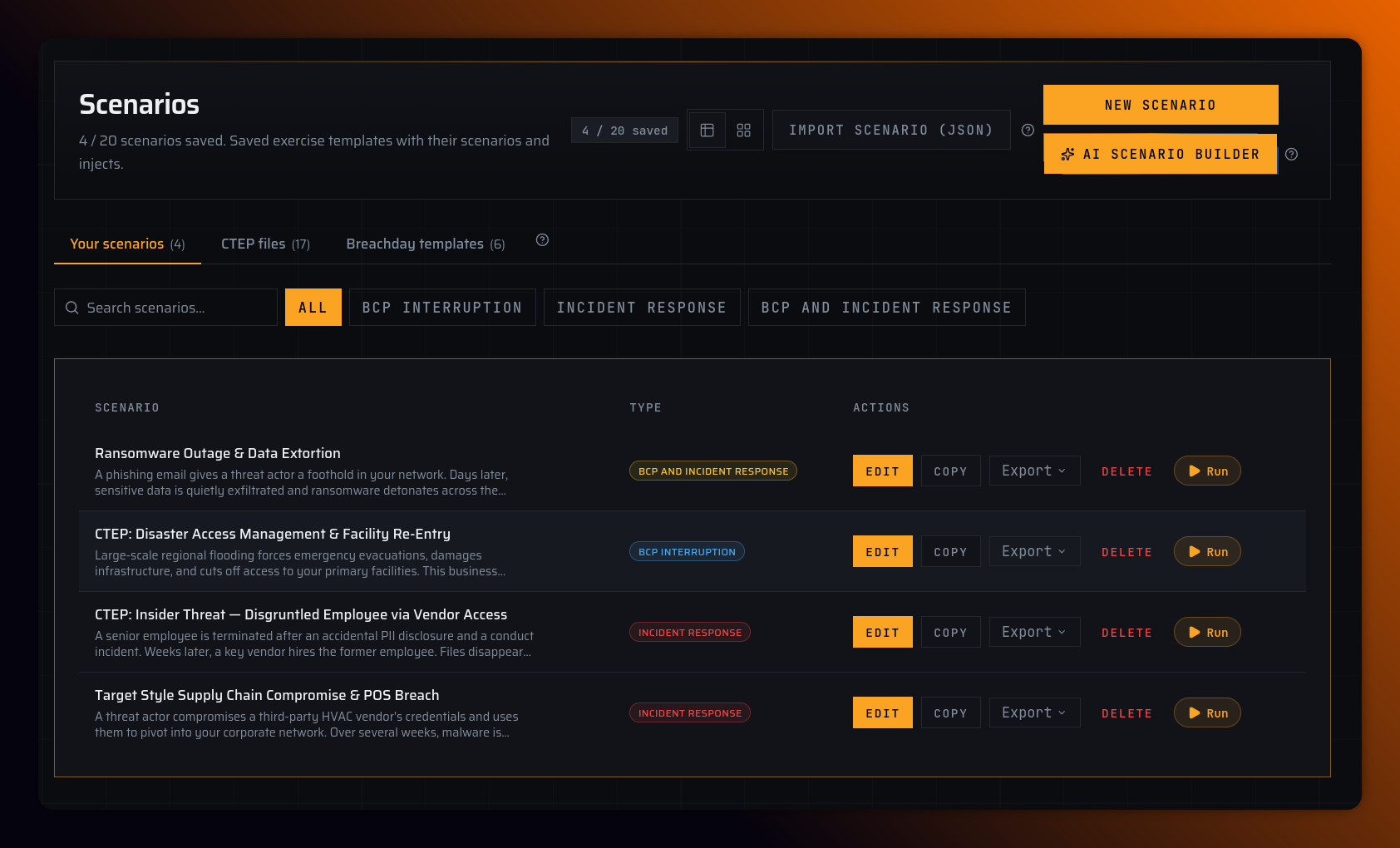
Ways to get a scenario
| Method | Steps |
|---|---|
| Create new | Scenarios → New scenario → choose scenario type → edit → Save |
| Clone Breachday template | Scenarios → Breachday templates tab → Add to my scenarios |
| Clone CTEP template | Scenarios → CTEP files tab → Add to my scenarios Plus Pro |
| Copy your own | Copy on any org scenario card |
| Import JSON | Import scenario (JSON) on Scenarios list |
| AI Scenario Builder | Scenarios → AI Scenario Builder → describe your exercise → review and save Plus Pro |
| Free builder export | Build at /build → export JSON → import after subscribing |
Saved scenario limits: Starter 3 · Plus 10 · Pro 20. Delete one to add another at cap.
On the Starter plan the CTEP files tab shows an upgrade banner — CISA CTEP templates (Cybersecurity Tabletop Exercise Packages converted to Breachday format) require Plus or Pro.
AI Scenario Builder Plus Pro
The AI Scenario Builder generates a complete scenario — phases, injects, and participant questions — from a short description of the exercise you want to run. It may ask clarifying questions before generating, and you can regenerate before committing the result to your saved scenarios.
- Generation runs: Plus 5 · Pro 15 per billing period
- Saves to your scenarios: Plus 1 · Pro 3 per billing period
- On Starter the button shows a lock — upgrade to use it
Saved AI scenarios count toward your saved scenario limit and can be edited like any other template.
Choose scenario type (on create)
Each type pre-fills standard phases:
| Type | Frameworks | Use case |
|---|---|---|
| Business Continuity Tabletop (BCP) | NIST SP 800-84 / ISO 22301 | Continuity-focused exercises |
| Incident Response Tabletop (IR) | ISO/IEC 27035 / NIST SP 800-61 | Security incident response |
| BCP & IR Tabletop | Combined | Full-spectrum BC + IR |
You can change interruption focus later in the Template tab.
Scenario editor tabs
The editor opens on the Template tab. Long text fields grow automatically as you type.
- Template — Name, description, interruption focus
- Scenario detail — Narrative, objectives, scope, rules
- Scenario flow — Phases, injects, participant questions
- Business context — Link IT assets, vendors, BIA processes per phase Plus Pro
Click Save changes when done.
Required fields to save
| Field | Required? |
|---|---|
| Name | Yes |
| Narrative | Yes |
| Description, objectives, scope, rules | No |
| Phases with injects | At least one named phase if injects exist |
| Every named phase | At least one inject |
| Every inject | Non-empty message + at least one question |
| Every question | Non-empty text; vote type needs ≥2 choices |
Invalid fields are highlighted; the editor jumps to the relevant tab with an error message.
Export Plus Pro
From scenario card or editor: Export → JSON, Word (.docx), or PDF. Same validation as save.
Run without extra save
Run on any template → /exercises/new?templateId=…