Path: Exercises (/exercises)
An exercise is a live session instance from a scenario template.
Prerequisites
- At least one scenario template
- Participant roles defined (Settings → Participants & Roles)
- Room under completed-exercise cap if applicable
Completed exercise limits: Starter 3 · Plus 10 · Pro 20
Step 1: Create exercise
- Scenarios → Run on a template, or Exercises → New exercise
- Choose template (tabs: Your scenarios / CTEP / Breachday; search and filter by focus)
- Set room password (8–128 characters) and confirm
- Plus/Pro: optionally check Remove this exercise from Breachday after the run (auto-deletes session data after org retention window; template stays) Plus Pro
- Click Start exercise → session created in Lobby →
/exercises/[id]
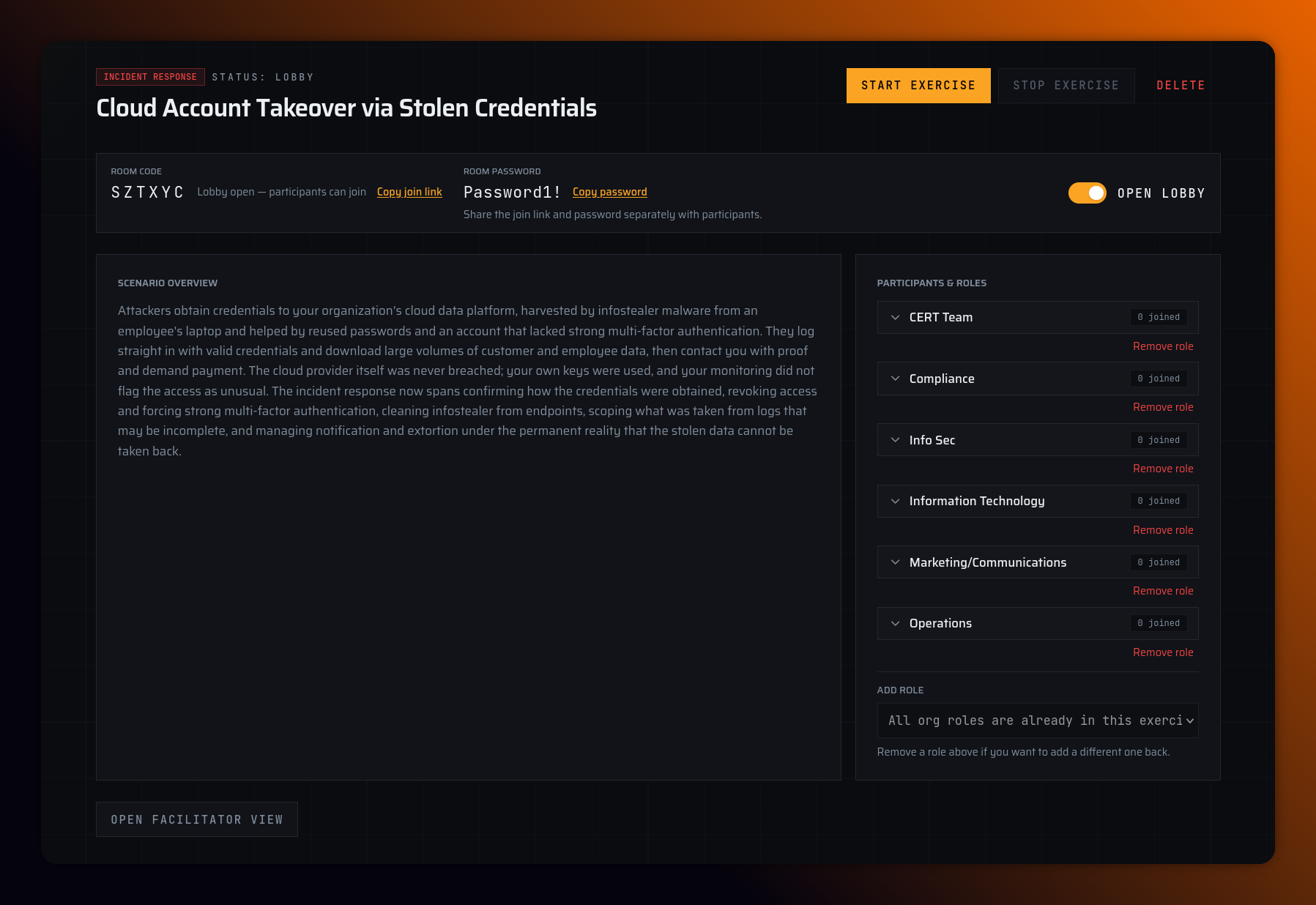
Step 2: Prepare lobby (facilitator)
| Action | Details |
|---|---|
| Open lobby | Off by default. Turn on so participants can join |
| Copy join link | /join/{roomCode} — share with participants |
| Copy password | Share separately from link |
| Manage participants & roles | Remove participants/roles; add org roles not yet in session |
| Delete exercise | Only while in Lobby (does not delete scenario template) |
Step 3: Start live exercise
Click Start exercise → status Live (ACTIVE) → facilitator routed to facilitation view.
Exercise lifecycle
  LOBBY ──Start──▶ ACTIVE ◀──▶ PAUSED
                      │
                  Complete
                      │
                      ▼
COMPLETED| Status | UI label | Meaning |
|---|---|---|
| LOBBY | Lobby | Waiting room; participants can join if lobby is open |
| ACTIVE | Live | Exercise running |
| PAUSED | Paused | Timer frozen; participants wait |
| COMPLETED | Ended | Exercise finished; report available |
There is no "draft" or "scheduled" exercise state — create the session when ready to run.
After the exercise ends, the exercise page shows View report & wrap-up — see Reports & hotwash.
Deleting exercises
- Lobby: Deletes session only; template kept
- Completed: Deletes session and report together